
16 min read ·
Find the Right Coin Cell and Change It Without Damaging Your Ford Fob
Model year, trim and access system can change the required cell too. The installed battery and applicable manual are the better compatibility checks.
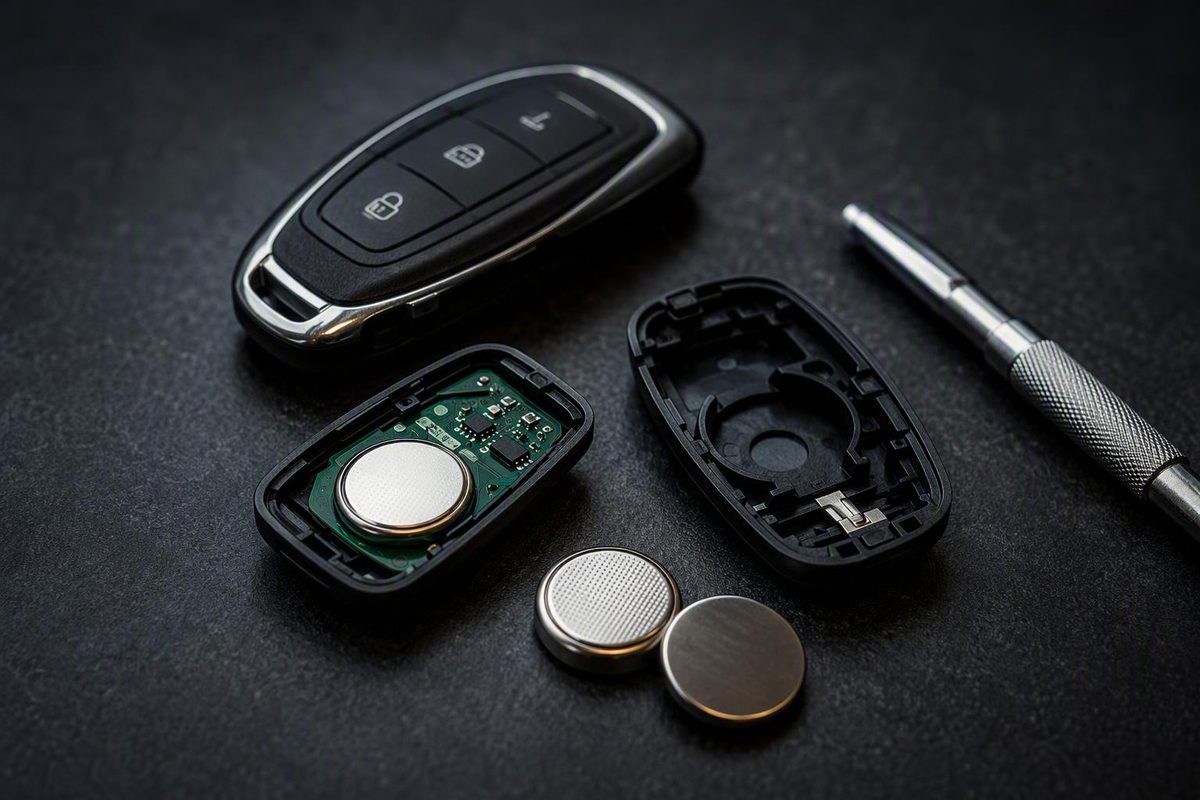
The short answer: verify the battery before buying
There is no single Ford key fob replacement battery that fits every Ford remote. Ford describes the replacement as a coin-type three-volt lithium battery and directs owners to the applicable vehicle owner’s manual under “Keys and Remote Control” rather than naming one universal size. Ford also states that changing the battery does not erase the programmed key, warns against wiping grease from the battery terminals or the back of the circuit board, directs owners to follow local battery-disposal regulations, and recommends taking all keys to a Ford dealer if assistance is required. See Ford’s official key-fob battery guidance.
Use this two-part check before buying a battery:
- Find the key or remote-control instructions in the owner’s manual for the exact vehicle and model year.
- Compare that specification with the complete code printed on the battery already installed in the fob.
If you need a digital manual, use Ford’s owner-manual link from its official support page and select the manual that matches the vehicle and model year. If the manual distinguishes between different transmitter types, follow the section for the fob in your hand.
CR2032, CR2025, and CR2450 are commonly mentioned in Ford dealership guides, but they are examples of possible batteries—not a universal compatibility list. A CR2032 may be common while still being wrong for a particular transmitter. The battery can vary with model year, trim, access system, and fob design, so the installed cell and the applicable manual remain the better checks. Riverside Ford’s guide explains that different fob styles may use CR2032, CR2025, or CR2450 batteries.
Read the entire code. If the old cell says CR2025, replace it with a CR2025 unless the vehicle-specific Ford instructions clearly specify otherwise. Do not choose a different coin cell merely because both are marked 3V. Equal voltage does not establish interchangeability, and an incorrect battery may not fit or allow the housing to close normally.
Model name alone is not enough. Two owners may drive the same Ford model but have different model years, trims, transmitters, or access systems. Even within one vehicle line, an integrated key-head transmitter and an Intelligent Access fob can require different parts or opening procedures. That is why a broad model-by-model battery table can create false confidence unless it identifies the exact year, transmitter, and fob design and is backed by the applicable manual.
Before purchasing the replacement, collect:
- Vehicle year, model, and trim
- Fob style, including whether it has a fixed blade, flip-out blade, or hidden emergency key
- Complete code on the installed battery
- Polarity markings in or near the holder
- Model-specific opening and installation instructions
- Any transmitter identification needed to distinguish similar-looking fobs
If the battery marking is faint, use bright light and change the viewing angle. A close phone photo may make the code easier to enlarge. Avoid scraping the cell or surrounding components simply to expose the label.
If an online product listing disagrees with the installed battery or the owner’s manual, stop and resolve the conflict before ordering or installing anything. Seller compatibility claims and vehicle-model labels should not override the physical battery code or Ford’s model-specific instructions.
Signs the key-fob battery may be getting weak
A weak battery may cause inconsistent operation before the remote becomes completely unresponsive. Possible warning signs include:
- Lock or unlock works only when you stand closer to the vehicle.
- A command responds after a noticeable delay.
- Operation is intermittent.
- A button must be pressed repeatedly.
-
The vehicle displays a low-key-battery message.
-
A push-button-start vehicle intermittently fails to recognize the fob.
These symptoms make a weak battery plausible, but they do not prove that the battery is the cause. Dealership guidance lists reduced range, delayed or intermittent responses, repeated presses, dashboard warnings, and recognition problems as possible low-battery signs rather than a complete diagnosis. Stivers Ford of Montgomery summarizes these warning patterns.
Other faults can produce similar behavior. A worn or stuck button may affect only one command. Poor internal contact may cause intermittent operation. Circuit-board damage or a vehicle-side recognition problem may also resemble a weak battery.
Consider the pattern before opening the fob:
- If every function has gradually lost range, the battery is a reasonable first suspect.
- If only one button has failed while the others work normally, the problem may be localized to that button or its contact.
Before replacement, note which functions work:
- Lock
- Unlock
- Panic alarm
- Trunk or liftgate release
- Remote start
- Passive entry
- Push-button-start recognition
Also note whether performance changes with distance. This creates a useful before-and-after comparison and prevents a partially working fob from being mistaken for a fully repaired one.
When the symptoms fit—and the old battery has not recently been replaced or the vehicle displays an applicable warning—installing a verified replacement is a sensible first maintenance step. Treat it as a bounded check, not proof that every remote or recognition problem is battery-related.
Identify the fob and its intended opening point
Before applying a screwdriver or trim tool, determine how the fob is designed to open. Ford has used multiple transmitter housings, and the correct release point is not always obvious.
Broad categories include:
- Remotes with a fixed physical blade
- Flip-key designs, where the blade folds into the housing
- Integrated fobs with a removable key
- Intelligent Access or proximity fobs, often with a hidden emergency key
These categories are useful for orientation, but they are not an exhaustive catalog. Similar-looking fobs may use different clips, battery covers, or holders.
Inspect the front, back, sides, and key end for:
- A release switch or button
- A removable mechanical or emergency key
- A designated tool notch
- A seam between housing sections
- A battery cover that slides instead of pries
- Molded arrows or release markings
Some fobs expose an opening notch only after the emergency key is removed. Others separate at an outer seam, while another design may use a sliding cover. Dealership guidance recognizes flip, smart, and integrated fobs and notes that their opening methods can differ. Jim Bass Ford’s overview illustrates why the opening procedure depends on the fob design.
Avis Ford, for example, describes a procedure in which the user presses a button near the silver end, removes the mechanical key, and uses that key to lift the Ford-logo side of the housing. That method is suitable only for a compatible design; it is not a universal Ford procedure. See the design-specific Avis Ford procedure.
The intended release point should respond to gentle, controlled pressure. If the housing does not begin to release, reassess rather than forcing it. You may be working at the wrong seam, applying pressure in the wrong direction, or attempting to pry a cover that is designed to slide.
Forcing an incompatible opening method can crack retaining clips, damage a weather seal, or bring the tool into contact with the circuit board. Dealership replacement guidance specifically advises opening the casing slowly and avoiding force around clips, seals, and electronics. If the release point remains unclear, stop and consult the model-specific manual rather than experimenting around the housing.
Tools and preparation for a careful replacement
The essential supplies are straightforward:
- The exact replacement coin cell
- The tool specified or suited to the fob, commonly a small flathead screwdriver or plastic trim tool
- The applicable owner’s-manual instructions
A plastic tool may reduce cosmetic scratching, but it is not mandatory for every fob. Some designs use the removed mechanical key at the designated release point. Follow the instructions for the housing instead of assuming that a screwdriver is always appropriate.
A clean cloth is optional. It can protect the fob’s exterior and help keep it from sliding, but Ford does not present it as a universal requirement. Tweezers and gloves are also not inherently necessary. Extra tools do not improve safety if they encourage gripping, bending, or probing parts that should remain undisturbed.
Choose a stable, well-lit surface where the battery, cover, or emergency key cannot disappear. Avoid opening the fob over grass, gravel, a sink, or a vehicle seat with deep seams. If the housing has several pieces, place them on the work surface in removal order.
Before taking out the old battery, photograph:
- Its complete code
- The visible face
- Its position in the holder
- Nearby plus or minus markings
- The arrangement of any cover, seal, or insert
The photo provides a reliable reference if the battery turns over or comes out unexpectedly. It can also show whether a contact or internal part was already out of position.
Use the opening tool only at the designated notch, seam, or cover mechanism. Once the fob is open, keep the tool at the battery edge or removal groove. Never use the circuit board as a fulcrum.
Do not wipe away grease from the battery terminals or the back of the circuit board. Although it may look like residue, both Ford and dealership replacement guidance say it should remain in place. Stivers Ford of Birmingham includes this handling warning in its replacement guide.
A routine battery change should not become a general electronics-cleaning project. Avoid scraping contacts, applying solvents, or disturbing factory-applied material. If you see corrosion, liquid intrusion, broken contacts, or loose electronic parts, stop and seek professional diagnosis.
How to replace a Ford key-fob battery
The sequence below is a safe general framework. It does not mean that every Ford fob opens, retains its battery, or closes in exactly the same way. The applicable owner’s manual controls whenever it differs.
1. Confirm the model-specific procedure.
Open the vehicle’s owner’s manual and find “Keys and Remote Control” or the corresponding key section. Confirm the battery specification, release point, polarity, and any transmitter-specific instructions.
Make sure the manual matches the vehicle’s model year and the transmitter you have. If it provides separate procedures for an integrated key and an Intelligent Access transmitter, use only the relevant procedure.
2. Remove the mechanical or emergency key if applicable.
If instructed, operate the release and slide the mechanical key out without twisting it. Removing the key may expose the notch used to open the battery compartment. On some designs, the key itself becomes the opening tool.
If the fob has no removable key, do not pry at the housing in search of one. Proceed with the opening method shown for that design.
3. Open the case at the designated release point.
Place the specified tool in the notch, seam, or cover mechanism. Apply gentle pressure in the indicated direction. One design may release with a slight twist; another may require a cover to slide.
If one edge releases, support it while freeing the remaining clips. Do not sharply pull the halves apart, and watch for seals or inserts that may move when the cover comes away.
Keep the tool shallow. Its purpose is to release the housing—not to probe the electronics.
4. Record the old battery code and polarity.
Before touching the battery, read its complete code and take a photograph. Note which face is visible and compare it with any plus or minus symbol molded into the holder.
This is the final verification point. If the replacement code does not exactly match the old cell or the manual’s specification, pause and obtain the correct battery.
5. Remove the old battery without disturbing the electronics.
Use the battery-removal groove, exposed edge, or method specified for the holder. Lift the cell gently without levering against the circuit board or bending the retaining contacts.
Observe how the old cell is retained and reverse that path during installation. If it seems stuck, improve the lighting and inspect the holder instead of applying more force.
6. Install the exact-code replacement in the verified orientation.
Check the code once more, then install the cell in the same orientation as the old battery or as indicated by the holder and manual. If required, slide one edge beneath the retaining contact before pressing the cell into its recess.
The battery should sit flat and securely in the holder. It should not rock, force a contact out of position, or prevent the cover from fitting.
Secondary instructions often say that the positive side commonly faces up, but that is not a universal rule. The original orientation, holder markings, and model-specific manual take priority. Riverside Ford similarly describes positive-side-up installation as typical while telling owners to verify the original position and holder markings.
7. Reassemble the housing without force.
Check that the battery is flat, the internal pieces are aligned, and any seal remains correctly positioned. Engage tabs that must enter first, then press around the perimeter until the clips seat.
The housing should close with controlled hand pressure. If a gap remains, reopen it and inspect the battery code, seating, polarity, internal alignment, and seal. Do not use pliers, clamps, a vise, or excessive pressure to close the shell.
Reinstall the emergency key and confirm that its release works normally. The key should sit securely without protruding or rattling.
Test the fob—and do not reprogram it automatically
Changing only the battery is not the same as replacing or programming a key. Ford states that battery replacement does not erase the key programmed to the vehicle. Do not begin a generic online programming sequence merely because the battery was changed.
Programming or synchronization may be relevant when adding a key, replacing a complete transmitter, or diagnosing a confirmed recognition fault. Those are separate procedures, and instructions involving ignition cycles, timed button presses, or multiple programmed keys may apply only to particular vehicles and transmitter types.
After reassembly, stand near the vehicle and test every function the fob has:
- Lock
- Unlock
- Panic alarm
- Trunk or liftgate release
- Remote start
For Intelligent Access or proximity systems, also test:
- Passive entry
- Passive locking, if equipped
- Push-button-start recognition
Test each function more than once. Then check the fob again from a normal operating distance, comparing its performance with how it worked before the problem began.
Inspect the housing after testing. It should have an even seam with no obvious gaps. Confirm that the emergency key is secure and that each button moves normally. A trapped button or misaligned shell can make a successful battery installation appear faulty.
If the fob does not work, do not assume its programming disappeared. Move first to the installation checks below.
Troubleshooting a fob that still does not work
Use a fixed diagnostic order so that one uncertain change does not lead to several more.
1. Verify the complete battery code. Remove the new cell and compare it directly with the old one or your pre-removal photograph. Similar labels can be misread, especially when coin cells look alike.
2. Confirm polarity. Compare the new cell with the photograph, the holder symbols, and the manual. Do not rely solely on a general statement that the positive side should face up.
3. Inspect seating. Make sure the battery is flat and positioned beneath the retaining contacts as intended. One edge may be resting on top of a contact even though the cell appears to be in the recess.
4. Look for an obstruction. Check for loose debris, a displaced insert, or a seal folded into the battery compartment. Leave factory grease in place and avoid scraping the terminal or circuit-board areas.
5. Check housing alignment. Open and realign the housing rather than forcing it closed.
A case that will not close normally is an important clue. Compare the old and new battery codes before doing anything else. An incorrect battery may not fit the holder or housing properly even if it appears to sit in the circular recess. Dealership troubleshooting guidance recommends checking battery type, polarity, seating, contacts, debris, and closure before considering more complex faults. Riverside Ford outlines these post-replacement checks and possible nonbattery causes.
Next, consider the pattern of failure:
- Every button fails: Recheck the battery code, polarity, seating, and shared contacts.
- Only one button fails: A stuck button, worn internal pad, or localized fault is more plausible.
- Buttons work but passive entry does not: The problem may extend beyond basic battery installation.
- Remote functions work but start recognition remains inconsistent: Consult the vehicle-specific recognition and backup-start instructions.
Persistent failure after correct installation may reflect damaged contacts, a worn button pad, damaged electronics, or a vehicle-side recognition issue. A battery replacement cannot correct every hardware or communication fault.
If another known-working key is available, use it as a comparison. This comparison narrows the possibilities but is not a definitive diagnosis.
Stop DIY work if you find:
- Broken housing clips
- A seal that is torn or cannot be returned to position
- Bent or detached battery contacts
- A cracked circuit board
- Liquid intrusion or corrosion
- Loose electronic components
- A housing that cannot be opened or closed safely
- Continued failure after the exact battery is correctly installed
When professional assistance is needed, Ford recommends bringing all keys to a Ford dealer. A qualified automotive locksmith may also be considered, but confirm that the provider works with the particular Ford key and access system. Do not assume that the fob needs programming or complete replacement until its battery installation and hardware have been assessed.
Handle the old battery and the fob responsibly
Keep the depleted battery separate from the replacement as soon as it is removed. Placing the old cell in the new battery’s packaging is a simple way to avoid accidentally reinstalling it.
Do not leave the used coin cell loose in a cupholder, door pocket, vehicle carpet, tool tray, or work area. Finish assembling and testing the fob, then handle the old battery according to applicable local regulations and disposal instructions. Available collection methods differ by location, so follow the directions provided by the relevant local authority or disposal provider.
The successful approach is verification-first:
- Consult the vehicle-specific Ford owner’s manual.
- Match the complete code printed on the old battery.
- Record and preserve the original polarity.
- Open the housing only at its intended release point.
- Keep tools away from the circuit board.
- Leave factory grease on the terminals and rear board surface.
- Make sure the replacement sits flat and fully seated.
- Close the housing without forcing it.
- Test every applicable button and recognition function.
- Seek professional diagnosis if the housing or electronics are damaged or correct installation does not restore operation.
Battery replacement does not erase the programmed key. If the fob remains unresponsive, investigate installation, physical damage, and vehicle-side faults before attempting an unverified programming procedure.
Frequently asked questions about Ford key-fob batteries
Do all Ford key fobs use a CR2032 battery?
No. CR2032 is common, but it is not universal. Dealership guides also identify CR2025 and CR2450 as possibilities, with the required battery varying by model year, trim, transmitter, and fob design.
Check the owner’s manual under “Keys and Remote Control”, then match the complete code printed on the installed battery. Do not buy by Ford model name alone or substitute a different code merely because both cells are rated at three volts.
Which side of a Ford key-fob battery should face up?
There is no universal answer for every Ford fob. The positive side faces up in many secondary replacement instructions, but that pattern does not override the original installation, holder markings, or vehicle-specific manual.
Photograph the old battery before removal and install the replacement in the same orientation if it agrees with the holder symbols and manual. If those references conflict, stop and obtain model-specific guidance.
Does a Ford key fob need reprogramming after a battery change?
No. Ford states that changing the battery does not erase the programmed key.
Replacing a complete fob, adding a new key, synchronizing a remote, and diagnosing a recognition fault are separate tasks. If the fob does not work after battery replacement, first check the battery code, polarity, seating, contacts, and housing alignment.
Why will my Ford key fob not close with the new battery installed?
The battery may have the wrong code, may not be seated beneath the retaining contacts, or may be installed incorrectly. A displaced seal, cover, or internal insert can also obstruct closure.
Reopen the housing and compare the old and new battery codes. Make sure the replacement sits flat and that every housing component is aligned. Do not force the shell together, because doing so can damage clips, contacts, seals, or electronics.
When should I take the fob to a Ford dealer?
Seek help when the intended opening point is unclear, the housing cannot be opened or closed safely, or the correct battery does not restore operation after polarity and seating have been checked. Professional diagnosis is also appropriate when clips, seals, contacts, buttons, or circuit-board components appear damaged.
Ford advises bringing all keys when dealer assistance is required. It can also help to bring the old battery, the replacement packaging, the vehicle information, and notes about which functions fail. A qualified automotive locksmith may be another option if the provider supports the specific Ford key and access system.