
3 min read ·
Match the Honda Civic key fob before buying its battery
Honda Civic key fobs can use CR1616, CR1620 or CR2032 cells. Identify the fob, confirm polarity and follow the correct opening method.
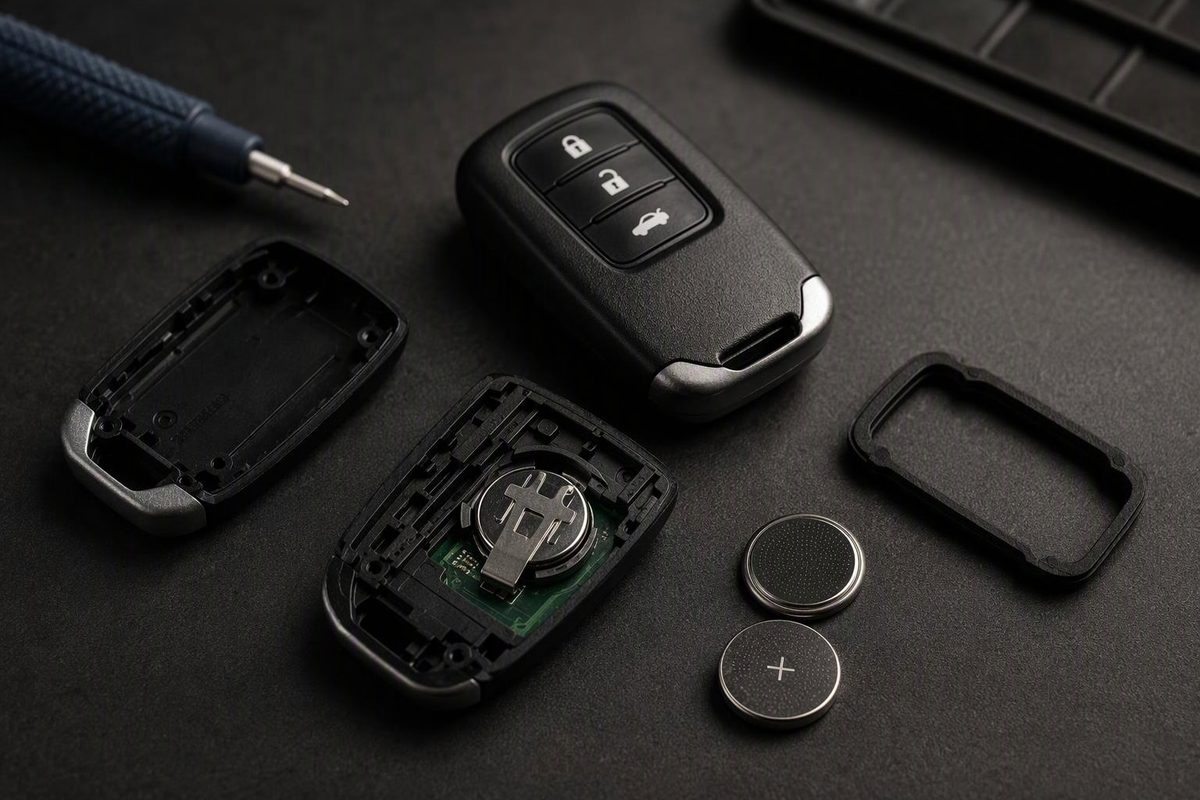
A Honda Civic key fob does not have one universal replacement battery. Honda manuals document CR1616, CR1620 and CR2032 cells, depending on the model year and physical remote design.
Use the code printed on the installed battery—and the owner’s manual for the exact Civic—as the final fitment checks. Do not buy solely by vehicle name.
Battery examples from Honda Civic manuals
| Civic example | Remote design | Battery |
|---|---|---|
| 2008 Civic | Screw at the base of the transmitter | CR1616 |
| 2014 Civic master key with remote transmitter | Screw-secured cover | CR1620 |
| 2014 Civic with smart entry | Built-in mechanical key and pry-apart case | CR2032 |
| 2025 Civic Sedan Hybrid | Built-in mechanical key and pry slot | CR2032 |
Honda’s 2008 Civic manual specifies a CR1616 and a small Phillips-head screw, while the 2014 Civic manual documents two configurations: a CR1620 for the master key with remote transmitter and a CR2032 for the smart-entry remote. The 2025 Civic Sedan Hybrid instructions also specify a CR2032.
That variation matters: a CR1616, CR1620 and CR2032 may all look like small silver coin cells, but they are not interchangeable specifications.
Before opening the fob
- Identify the physical remote. Check for a small screw, a removable built-in key or a dedicated pry slot.
- Check the applicable owner’s manual. Trim and access-system differences can exist within one model year, as the 2014 manual shows.
- Buy a fresh cell with the exact same code. If the manual and an online listing disagree, open the fob carefully and read the code on the old cell before proceeding.
- Note battery orientation before removal. A quick phone photo can preserve the position of the positive and negative faces.
Stop if the case does not separate with light pressure. You may be working at the wrong seam or may have missed a screw.
How to replace a screw-type Civic remote battery
This is the documented general pattern for older key-integrated transmitters, although the internal clips and battery code vary.
- Place the key on a clean, well-lit surface.
- Remove the small Phillips-head screw without stripping it.
- Separate the case at its middle seam. Use a fingernail or a small flat-tip tool wrapped in cloth rather than forcing the plastic.
- If fitted, release the inner cover from the keypad.
- Record the old cell’s code and polarity, then remove it.
- Install an exact-code replacement in the same orientation.
- Reassemble the internal cover and case, then reinstall the screw without overtightening it.
Honda’s 2008 instructions specify that the positive side of its CR1616 faces down. Do not assume that orientation applies to another fob; follow the markings or the arrangement observed during disassembly.
How to replace a Civic smart-key battery
For the 2025 Civic Sedan Hybrid remote, Honda gives this sequence:
- Remove the built-in mechanical key.
- Hold the remote with its buttons facing down.
- Use the key grip at the designated slot to pry off the upper cover. Honda recommends wrapping the grip with a cloth to limit scratching.
- Use a cloth-wrapped flat-tip screwdriver at the battery edge to lift out the CR2032.
- Fit the replacement with the correct polarity.
- Align the case halves and press around the perimeter until all clips close evenly.
- Reinsert the mechanical key and test every remote button.
A 2014 smart-entry remote uses the same CR2032 size but Honda’s manual calls for carefully prying at the edge with a cloth-wrapped coin. Follow the opening method for the fob in front of you rather than assuming every CR2032-equipped remote opens identically.
If the remote still does not work
Reopen it and check three things first: the cell code, polarity and whether the case is fully clipped together. Confirm that the battery is seated under its retaining contacts and that no loose button or internal insert shifted during opening. Test a spare remote as well; if the spare works, the problem remains isolated to the first fob.
Honda’s manuals present button-cell replacement as routine maintenance and do not include a reprogramming step in these procedures. If a correctly installed fresh cell does not restore operation, the fob may have damaged contacts, a faulty switch or another issue requiring diagnosis.
Keep new and used coin cells away from children. Honda warns that swallowing the remote battery can cause severe internal burns and may be fatal; seek immediate medical attention if ingestion is suspected. Dispose of the old cell according to local battery-disposal rules.