
8 min read ·
Choose and Replace the Correct Nissan Rogue Key Fob Battery
Find the correct CR1620, CR2025 or CR2032 for a Nissan Rogue key fob, then follow model-specific opening, polarity, testing and safety steps.
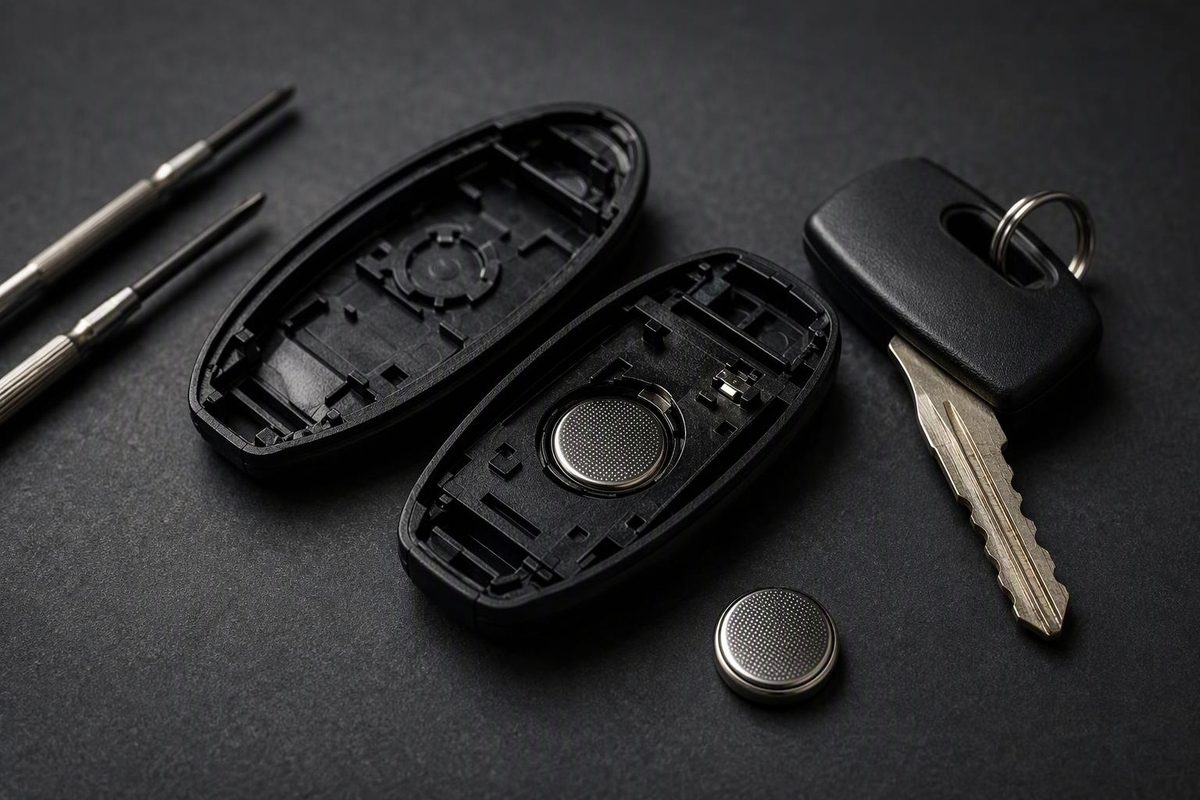
Do not buy a coin cell based only on “Nissan Rogue.” The correct battery depends on the model year and key design: CR2032 is common in newer Rogue fobs, while documented older designs use CR2025 or CR1620. Confirm the key type and battery number before opening the new package.
Select the documented model year and key design to find the specified battery.
Rogue Key-Fob Battery Matcher
Specified Battery
CR2032
For a documented 2024 Rogue Intelligent Key.
An unlisted combination means the available cited examples do not establish its battery. Check that fob’s manual or installed cell.
All Documented Examples
| Year | Key | Battery |
|---|---|---|
| 2008 | Conventional | CR1620 |
| 2008 | Intelligent | CR2025 |
| 2011, 2013 | Intelligent | CR2025 |
| 2014–2015 | Jackknife | CR2032 |
| 2014–2015 | Intelligent | CR2025 |
| 2016, 2020 | Intelligent | CR2032 |
| 2016, 2020 | Jackknife | CR2032 |
| 2024–2025 | Intelligent | CR2032 |
Source: Nissan Rogue owner’s manuals cited in the article. “—” means the cited examples do not establish a specification.
Match the Battery to the Key Design
Check the battery-replacement section of the owner’s manual for the exact model year and key type. If the fob previously worked and there is no reason to suspect that someone installed the wrong cell, the number printed on the old battery is another useful reference.
Nissan has specified different batteries for different Rogue keys, including two battery types within the same model year.
| Rogue Year or Years | Key Design | Nissan Specification |
|---|---|---|
| 2008 | Conventional fob with screw | CR1620 |
| 2008 | Intelligent Key | CR2025 |
| 2011 and 2013 | Intelligent Key | CR2025 |
| 2014–2015 | Jackknife key | CR2032 |
| 2014–2015 | Intelligent Key | CR2025 |
| 2016 | Intelligent or jackknife | CR2032 |
| 2020 | Intelligent or jackknife | CR2032 |
| 2024–2025 | Intelligent Key | CR2032 |
These entries are documented examples, not a rule that fills every unlisted model year or every replacement fob. Consult the manual or the cell already installed when your year and key design are not listed.
Nissan’s 2008 Rogue manual specifies a CR1620 for the conventional fob and a CR2025 for the Intelligent Key. The 2014 Rogue manual specifies a CR2032 for the jackknife key but a CR2025 for the Intelligent Key. By 2016, Nissan specified CR2032 for both designs in the 2016 Rogue manual.
CR1620, CR2025 and CR2032 are not interchangeable labels for the same battery. Do not substitute one code merely because the cell appears close in size or can be pressed into the holder. A cell with a different diameter or thickness may not seat correctly, contact the terminals properly or allow the case to close evenly.
A replacement fob can also differ from the key originally supplied with the vehicle. If its installed battery does not agree with the vehicle manual, identify the replacement fob and follow its documentation. Do not force the manual’s listed battery into a shell designed for another cell.
Prepare the Fob Before Opening It
Set out the correct new coin cell, a small flat-blade screwdriver and a clean cloth. Keep the new battery in its package until you have confirmed the code. This avoids mixing it with the removed cell.
Look at the complete fob before prying. An Intelligent Key has a removable mechanical emergency key. A jackknife design has a key blade that folds into the body. The documented 2008 conventional fob uses a retaining screw. These cases do not all open in the same way, even when their buttons look similar.
Work where a dropped screw, mechanical key or battery can be recovered. Before removing the old cell, note its battery code and orientation. A phone photo gives you a reference if the holder makes the polarity markings difficult to see during reassembly.
Inspect the seam and locate the opening slit described in the manual. The slit is the intended leverage point. If the plastic bends substantially instead of the seam beginning to separate, stop and check that you are using the correct opening point. Forcing the wrong seam can mark or damage the shell.
Replace an Intelligent Key Battery
The Intelligent Key procedure centers on removing the mechanical key, separating the case at its opening slit and avoiding contact with the internal electronics.
- Remove the mechanical key. Move the release on the back of the Intelligent Key and slide out the emergency key. Set it aside where it will not be confused with the screwdriver.
- Locate the opening slit. Use the designated corner slit rather than inserting the screwdriver at a random point along the seam.
- Protect the case. Wrap the screwdriver tip with the clean cloth to reduce scratches to the plastic.
- Separate the two halves gently. Insert the protected tip and use a light twisting motion. Work only far enough to release the case clips. Stop if the shell is bending substantially.
- Record the old cell’s position. Note the printed battery code and take a photo of the orientation before lifting the cell out.
- Remove the battery carefully. Avoid disturbing the circuit board. Nissan cautions against touching the internal circuit and electrical terminals.
- Install the exact replacement. Hold the new cell by its edges and place it fully into the holder. For the documented Rogue Intelligent Keys, Nissan directs that the positive (
+) side face the bottom of the case. - Close the shell. Align the case halves before pressing them together. Continue only until every clip is closed and the seam is even.
- Reinstall the mechanical key. Slide it back into place and make sure its release retains it.
- Test the key. Check lock, unlock and panic, plus remote start if the fob is equipped with it.
This sequence follows Nissan’s 2020 Rogue procedure and its current general key-fob battery guidance. Nissan’s battery-change procedure ends with an operation check and does not specify a programming step after an ordinary battery replacement.
The positive-side instruction above is for the documented Rogue Intelligent Key procedure. Do not assume that every conventional, jackknife or aftermarket shell holds its battery in the same orientation. Record the old cell’s position and follow the applicable manual or replacement-fob documentation.
Open Jackknife and Conventional Fobs Correctly
For a jackknife key, keep the button side facing up and use the corner slit to separate the case. Replace the cell with the specified battery, align the lid and press it closed securely before testing the buttons.
Battery selection remains year- and design-specific. The 2014–2015 Rogue manuals specify CR2032 for the jackknife key even though the Intelligent Key offered in those same years uses CR2025. The shared vehicle year therefore does not establish a shared key-fob battery.
For an older conventional fob with a small retaining screw, remove the screw before attempting to open the case. The documented 2008 Rogue conventional-fob procedure specifies CR1620. After fitting the matching battery, close the lid and reinstall the screw.
Do not pry a screwed case as though it were a clip-only Intelligent Key. Conversely, do not look for a retaining screw on a shell that the applicable procedure says to separate at its corner slit. Identifying the shell first reduces the chance of opening it by the wrong method.
After either type is closed, inspect the entire seam. A raised edge can indicate that a clip is not engaged, the cell is not seated or an internal button pad has shifted. Correct the fit before repeatedly pressing the buttons.
Test the Fob Before Considering Programming
Stand where you can verify the vehicle’s response and test every button fitted to the fob. Check lock and unlock separately rather than assuming that one successful command proves every switch is aligned. Test panic and remote start when equipped.
If the buttons operate normally, the battery replacement is complete. Nissan’s cited procedure calls for an operation check but does not list a programming step following the battery change. Replacing only the coin cell should therefore not be treated automatically as a key-programming job.
If one button feels trapped or different after reassembly, inspect the case before pursuing an electronic fault. An uneven seam or displaced button pad can prevent the external button from pressing its switch correctly. Reopen the shell carefully, check the fit and close it evenly.
Keep the old cell separate while testing so it cannot be mistaken for the new one. If the first replacement battery does not restore operation, a second fresh battery from an intact package can help distinguish a battery problem from a fob problem.
Diagnose a Fob That Still Does Not Work
Start with the parts disturbed during the replacement rather than replacing the complete key immediately.
- Confirm the battery code. Read the marking on the new cell and compare it with the applicable manual, original working cell or replacement-fob documentation. CR1620, CR2025 and CR2032 are different specifications.
- Check polarity. Verify that the positive and negative faces match the documented orientation. For the cited Rogue Intelligent Key procedures, the positive side faces the bottom of the case.
- Check seating. Make sure the cell lies fully in its holder and contacts the terminals. Do not bend or reposition the terminals unnecessarily.
- Inspect the case seam. Reopen the shell if it is uneven or if a button appears caught. Check that the internal pad and shell halves are aligned.
- Try another fresh battery. Use one from an intact package and confirm its code before installing it.
- Test the spare key. If both keys fail, the fault may be with the vehicle rather than the first fob. If the spare works, the problem remains isolated to the serviced fob or its battery.
- Look for fob damage. If only one key remains inoperative, inspect it for moisture, damaged contacts or a displaced button pad.
A damaged key or a replacement fob may require professional diagnosis and programming. That is different from assuming that every routine coin-cell change requires reprogramming. The cited Nissan battery-replacement procedure itself does not include that step.
If the key worked before the battery change and stopped immediately afterward, recheck code, polarity, seating and case alignment first. If it had already failed before the old cell was removed, a new battery may not resolve damage inside the fob or a fault elsewhere in the keyless-entry system.
Keep Coin Cells Away From Children
Keep new and used coin cells, the retaining screw and other removed parts away from children throughout the job. Do not leave the old battery loose on a work surface or inside an open package that resembles the new one.
Nissan’s 2025 Rogue manual warns that a swallowed coin battery can cause internal chemical burns in as little as two hours. It calls for immediate medical attention if ingestion is suspected. Dispose of the removed cell according to local regulations.